
Every litre accounted
for. Every rupee
where it should be.
Fuel station management and accounting software for Pakistani pump owners, managers and multi-station operators. PetroBind turns every shift into a real digital record — catching fuel leakage and cash shortfalls the day they happen, not at month-end when the money's already gone.
- Real-time
Monitoring - Leakage
Alerts - Financial
Dashboards - Full Accounting
Engine - Scales from
50 to 5,000+ Stations
What a small gap really costs you
Set how much fuel you sell, the gap you suspect and today's rate. The tank and the figures react live, so you can see what a few litres a day adds up to over a month and a year.
Four problems every pump has —
and none of them show up until it's too late.
Fuel leakage
Nozzle theft, a tanker delivering short of invoice, or a slow tank leak. Without expected-vs-actual stock checked daily, it hides in the register until it's catastrophic.

Cash variance
Cash counted at night with no expected figure to compare it to. An unentered expense, a mis-keyed meter and theft all look the same — a gap nobody can explain.

Udhar that never reconciles
Credit written down at night from memory — or not at all. Balances drift, customers forget, and the khata never quite reconciles with the cash.

No financial visibility
Rate-change differences, dip gain/loss, expenses paid from the till — all invisible for 30 days. By the time the P&L is ready, the leak has run all month.
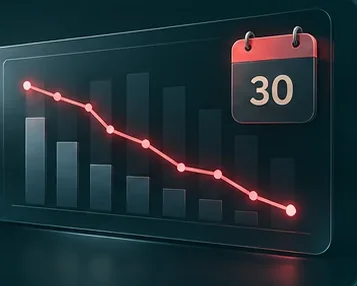
There's a better way.
Record every shift. Reconcile it on the spot. Stay in control of your stock, your cash and your profit.
See how PetroBind worksRecord. Reconcile. Control.
Three steps, every shift — and the books write themselves.
Record
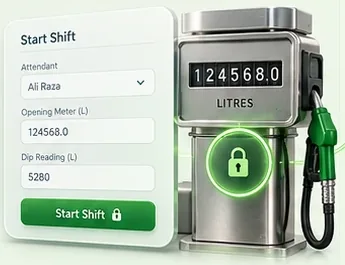
Start the shift: pick the attendant, confirm opening meters, take dips. Deliveries, expenses, credit and card sales are entered as they happen — and the opening readings lock the moment the shift starts.
Reconcile
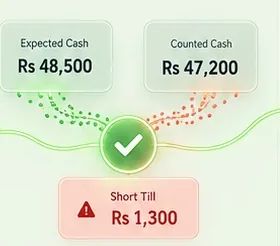
Close it at night. Expected cash and dip gain/loss compute live, and a short till shows red before it's saved — with a checklist to find the cause: unentered expense, mis-keyed meter, uncounted note, theft.
Control
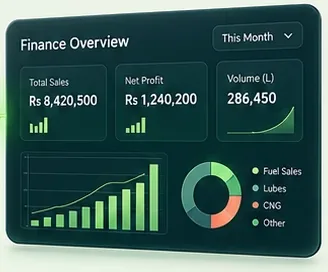
Read the truth any time. Twelve built-in reports, dashboards and AI Insights are live — export to Excel for your accountant. On the Chain plan, Trial Balance, P&L and Balance Sheet are live too.
Every module PetroBind runs, in one place.
Not a features slide — this is the actual product. Items marked chain plan unlock on Chain; everything else is in Professional from day one.
Daily operations
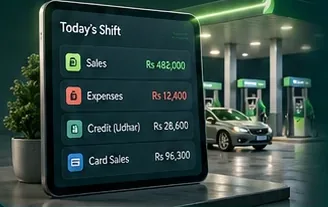
Shift Management
An 11-step guided open/close. Opening meters and dips lock the moment a shift starts — they can never be quietly edited later.
Credit (Udhar)
chain planPer-customer credit limits with a live ⚠ flag, running ledgers, and statements that make collection someone's job instead of a hope.
Cash Deposits & Reconciliation
Track what actually reaches the bank from shift cash, reconcile against statements, and log rental/non-fuel income and inter-station transfers.
Card Sales & Wallets
JazzCash, EasyPaisa, Fleet Card and card machines — each broken out in its own Payment Gateway report.
Expenses
Every category maps to a GL account automatically, with a one-off override any time you need one.
Executive Dashboard
Live KPI cards you can drag to reorder, with date-range presets — the numbers that matter, first.
Notifications
Automatic alerts for stale open shifts, low stock, high OMC exposure and orders sitting too long — you don't have to go looking.
In-app Support
Raise a ticket without leaving the app. The AI Assistant escalates to a real person automatically when it can't help.
Fuel & inventory
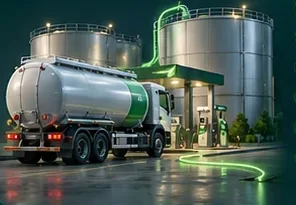
Tank Monitoring
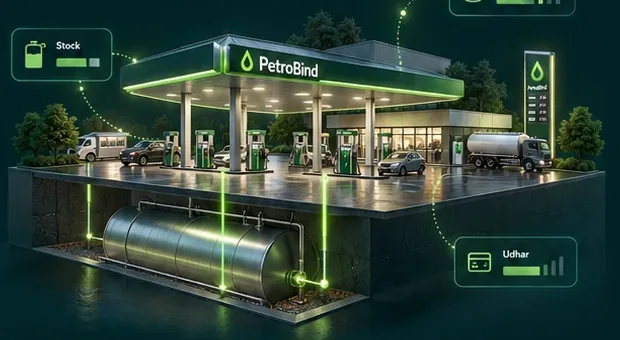
Expected-vs-actual dip tracking with a live 3D view. A closing dip doesn't just report loss — it adjusts fuel inventory in the books automatically.
Purchases & Deliveries
Fuel orders, decanting-gap checks, and OMC prepayments that clear themselves against inventory as each delivery arrives.
OMC Facility
How much of your OMC's credit facility is used against how much you're allowed — updated as deliveries and payments happen.
Lubes Inventory
Catalog, purchases, sales and stock audit for lubricants and bulk products — every sale posts straight to the P&L.
CNG
optionalTracked by weight, not litres. Sales route themselves to the right cash, card or credit account automatically.
Fuel Supply
chain planRun your own tanker fleet for bulk wholesale? Tanker registry, location log, trip tracking, running expenses, and a dedicated P&L and fuel-efficiency report.
Finance & accounting
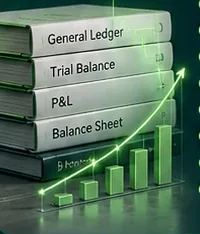
Full Accounting Engine
chain planTrial Balance, P&L, Balance Sheet and Cash Flow — always live. Click any figure to see the real transactions behind it.
Manual Journal Entries
chain planFor genuine one-off corrections only. Owner/manager-gated, and won't save unless debits exactly equal credits.
Capital & OMC Summary
chain planCapital position, inventory value and OMC exposure trend, in one finance tab.
Invoices
chain planAuto-built from a customer's udhar — print, save as PDF, or send on WhatsApp.
Fixed Assets
Straight-line depreciation posts itself on the 1st of every month — enter the asset once, the rest is automatic.
Loans
Given and received, with repayments tracked and cleanly reversed if an entry is ever deleted.
Reports
Twelve built-in reports — Dip Gain/Loss, Attendant Performance, Product Profit and more — exported to Excel or CSV in one click.
AI Insights
Forecasts demand & revenue, flags cash-variance anomalies, credit risk, low stock and slow-draining tanks — computed from your real numbers, not a script.
People & payroll

HR & Payroll
Attendance, salary advances and a salary register that ties to accounting — never double-counted against Expenses.
Employee Documents
CNIC, agreements, certifications and offer letters, kept per employee — not in a drawer.
Users, Roles & Permissions
Build custom roles with a full module-by-module permission matrix — decide exactly what each person can see and do.
PetroSkool
Built-in lessons that teach every workflow — from closing a shift to depreciation — right where your staff already work.
Multi-station management chain plan

Chain Overview
Combined KPIs and a per-station breakdown across every station you own.
One Login, Every Station
Switch between stations instantly — each with its own full books, kept completely separate.
Custom Dashboards
Build the widgets and calculated metrics that matter to you, station by station.
AI Assistant
A tool-calling agent that answers from your station's live numbers and documentation — and raises a ticket when it can't.
Watch a tank tell the truth.
Drag the leakage up and the dip trends down. Clean tanks hold or climb. This is exactly what PetroBind sees every shift — click the tank to look closer.
Deliveries in, minimal loss — the dip climbs and holds. Nothing to chase.
Send a professional fuel invoice before the truck leaves the forecourt.
Credit customers get a clean, itemised invoice — pulled straight from their udhar, no re-typing. Print it, save a PDF, or send it on WhatsApp in one tap. Udhar and invoicing are part of the Chain plan.

- ✓Auto-built from udhar. Pick a customer and a date range — every credit fuel sale, with vehicle, litres and rate, fills in for you.
- ✓Edit before you send. Adjust any line, add a manual row, carry a previous balance forward.
- ✓Three ways out. Print, save as PDF, or share on WhatsApp with the amount due pre-written.
- ✓Numbered & kept. Every invoice is auto-numbered and saved, ready to re-open or re-send any time.
| Vehicle | Fuel | Qty (L) | Amount |
|---|---|---|---|
| TKR-7093 | HSD | 420 | 150,360 |
| TKR-6612 | HSD | 160 | 57,280 |
| MNR-2287 | Petrol | 55 | 17,985 |
Four things you'll know every day.
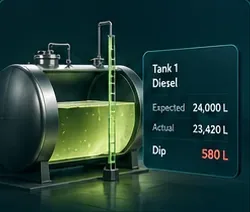
Know your stock
Expected vs actual dip on every tank, every shift. Loss shows up the day it starts, and the closing dip adjusts inventory in your books.
Tank Monitoring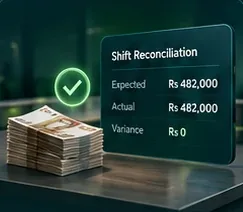
Control your cash
Every shift closes against expected cash. Deposits reconcile to the bank, and udhar has limits and ledgers instead of memory.
Shifts · Deposits · Udhar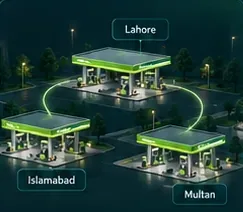
Track your stations
One login, every station — each with its own books kept separate. Chain Overview combines the KPIs in one place.
Chain Overview · chain plan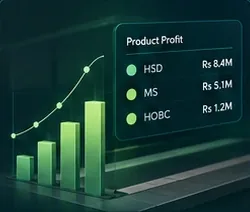
Understand your profit
Product profit and dip gain/loss reports on every plan. On Chain, a live P&L, Balance Sheet and Cash Flow, with the transactions behind every figure.
Reports · AccountingMost pump software just records numbers. PetroBind reconciles them.
Anyone can store nozzle readings. The difference is what happens the moment a number doesn't add up.
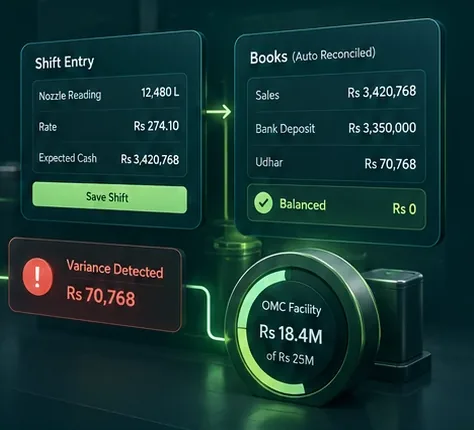
Real books, not a fancy register Chain plan
Every shift, delivery, expense and udhar sale posts a balanced double-entry automatically. Your Trial Balance, P&L and Balance Sheet are always live — the same data your night cashier reconciled is what your accountant and your bank see. Built by a forensic accountant, not adapted from a shop-billing app.
Variance while you type
Expected cash and dip gain/loss compute live as the shift closes. A short till shows red before it's saved, with the checklist to find it. You catch the leak at 11pm, not next month.
Ready for OGRA's digital era timing
OGRA is pushing every pump toward digital monitoring — but full ATG hardware runs up to Rs 5 million per outlet and the rollout keeps slipping. PetroBind gets your operation digital and audit-clean today, software-first, with no capital hardware bill. Bridge to ATG when it's actually required.
Your OMC credit line, watched in real time
Most owners find out they're near their credit limit when the OMC tells them. PetroBind tracks how much of your facility is used against how much you're allowed, updated as deliveries and payments happen, so you see it coming.
Built for everyone who runs a pump.
One product, whether you run a single station or a whole network.

Single-station owners
ProfessionalRun one pump and want it digital without the complexity. Professional covers full daily operations — shifts, tanks, deliveries, expenses, cash deposits, payroll and twelve reports.

Station managers
Every planA guided 11-step shift open and close, live variance as you close, custom roles so each person sees only what they should, and PetroSkool lessons built in for new staff.

Multi-station owners
Chain planSwitch between every station from one login, each with its own books kept separate. Chain Overview combines the KPIs, and custom dashboards show you the view you want.
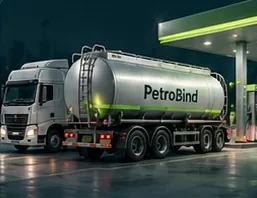
Fuel suppliers & wholesalers
Chain planRun your own tanker fleet for bulk wholesale? Fuel Supply gives you a tanker registry, trip tracking, running expenses and a dedicated P&L and fuel-efficiency report.
Built so you can trust the numbers — and keep them.
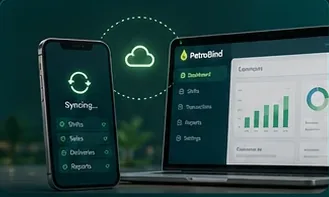
Works offline
Installs like an app on any phone or desktop and keeps working through load-shedding. It syncs on its own the moment the connection returns.

Urdu support
Switch the app to Urdu so the whole team can use it comfortably, on whatever phone they already carry.
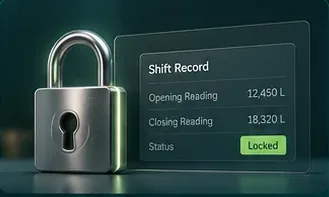
Audit-ready records
Opening readings lock when a shift starts and closed shifts can't be quietly edited. On Chain, every accounting figure opens to the transactions behind it.
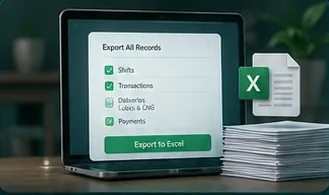
You own your data
Owners can export every record the station holds — all-time, in one Excel workbook — whenever they want. No lock-in.
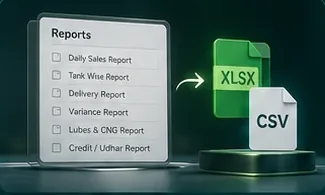
Exports in one click
The twelve built-in reports export to Excel or CSV, so your accountant never has to retype a number.
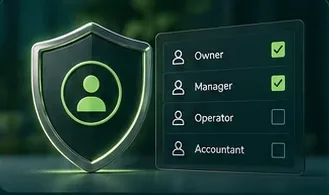
Secure by design
Every station's data is kept separate, and custom roles with a module-by-module permission matrix decide exactly who can see and do what.
Costs less than a single day's undetected leakage.
Two plans, in Urdu, offline-ready, on mobile. Pay monthly or save with annual — by card or bank transfer.

- Full shift, tank & delivery tracking
- Daily variance & dip gain/loss
- Bulk & lube sales, card (POS), CNG & wallets
- Loans & fixed assets, with automatic depreciation
- Cash deposits & bank reconciliation
- HR & payroll with attendance
- AI Insights — forecasts & anomaly alerts
- 12 operational reports + PetroSkool training
- Custom roles & permissions + in-app support
- Urdu · offline · mobile

- Everything in Professional, every station
- Full accounting engine — TB, P&L, Balance Sheet & Cash Flow
- Credit (Udhar) with customer ledgers & limits
- Professional fuel invoices — Print, PDF & WhatsApp
- Fuel Supply — bulk wholesale tanker tracking
- Finance tab — capital, inventory & OMC exposure trend
- Switch between all your stations from one login
- Chain Overview — consolidated KPIs across every station
- AI Assistant — ask it about any station's numbers
- Custom dashboards you build yourself
- Priority onboarding & support
Not sure which fits? Request a demo and we'll walk your numbers with you.
What owners usually ask before switching.

What is PetroBind?
Fuel station management and accounting software built for Pakistani petrol pumps — shifts, tanks, deliveries and daily operations on the Professional plan, plus full double-entry books and udhar credit tracking on the Chain plan, in Urdu, offline-ready.
How long does setup take?
You can be set up in a day, with your staff trained the same day. PetroSkool, the built-in lessons, walks them through every workflow, and the Chain plan adds priority onboarding. Request a demo and we will set up a walkthrough first.
Does PetroBind work offline?
Yes — PetroBind is a Progressive Web App that installs like a real app on any phone or desktop. It keeps working through load-shedding and syncs automatically the moment the connection returns.
Can I run more than one station?
Yes — the Chain plan lets an owner switch between every station they run from one login, with each station's books kept live and fully separate, plus Chain Overview for combined KPIs.
How is my station's data protected?
Every station's data is kept separate. Custom roles with a module-by-module permission matrix control who can see and do what, and staff can enter a shift but can never quietly edit one that is already closed.
Can I take my data with me?
Yes. Owners can export every record the station holds, all-time, in one Excel workbook whenever they like, and the twelve built-in reports export to Excel or CSV in one click.
How is PetroBind priced?
Two plans — Professional at Rs 4,500 a month and Chain at Rs 13,000 a month — priced per station, billed monthly or annually with two months free on an annual plan.
What is the difference between Professional and Chain?
Professional covers full daily operations for one station — shifts, tanks, deliveries, expenses, loans, fixed assets, payroll, cash deposits and bank reconciliation, AI Insights, and reporting. Chain adds the full double-entry accounting engine, udhar (credit) tracking, professional invoices, Fuel Supply, the Finance tab, the AI Assistant, custom dashboards, and running multiple stations from one login.
Does PetroBind produce real accounting books, or just a register?
On the Chain plan, real books. Every shift, delivery, expense, and udhar sale posts a balanced double-entry automatically, so your Trial Balance, Profit and Loss, and Balance Sheet are always live — not a month-end reconstruction. The Professional plan covers full daily operations without the accounting engine.
Does PetroBind handle HR and payroll?
Yes — attendance and payroll are included on every plan, starting with Professional.
See where your pump is leaking — on your own numbers.
Tell us about your station. We'll set up a walkthrough and show you exactly where your current register is losing money — stock, cash and udhar.
- ✓A guided demo on a fully-loaded station, or your own data
- ✓No card required — we contact you first
- ✓Set up in a day; your staff trained the same day
Prefer WhatsApp? Chat with us